
Give each dish a maintained allergy record.
A dish name alone cannot answer an allergy question. The bread, dressing, garnish, cooking fat, and preparation may all matter. MyMeal lets your team maintain ingredients and allergy information alongside the dish description. The editor supports allergen-specific status, modification notes, and cross-contact information. A clear record gives your staff a place to start when a guest asks about a particular dish.
- Manage information at dish level rather than relying on a general menu disclaimer.
- Record possible modifications and explain what would need to change.
- Add cross-contact information and relevant preparation notes.
- Organize menus across restaurants and locations while checking the details for each menu.
Explore AI-assisted preparation for your review.
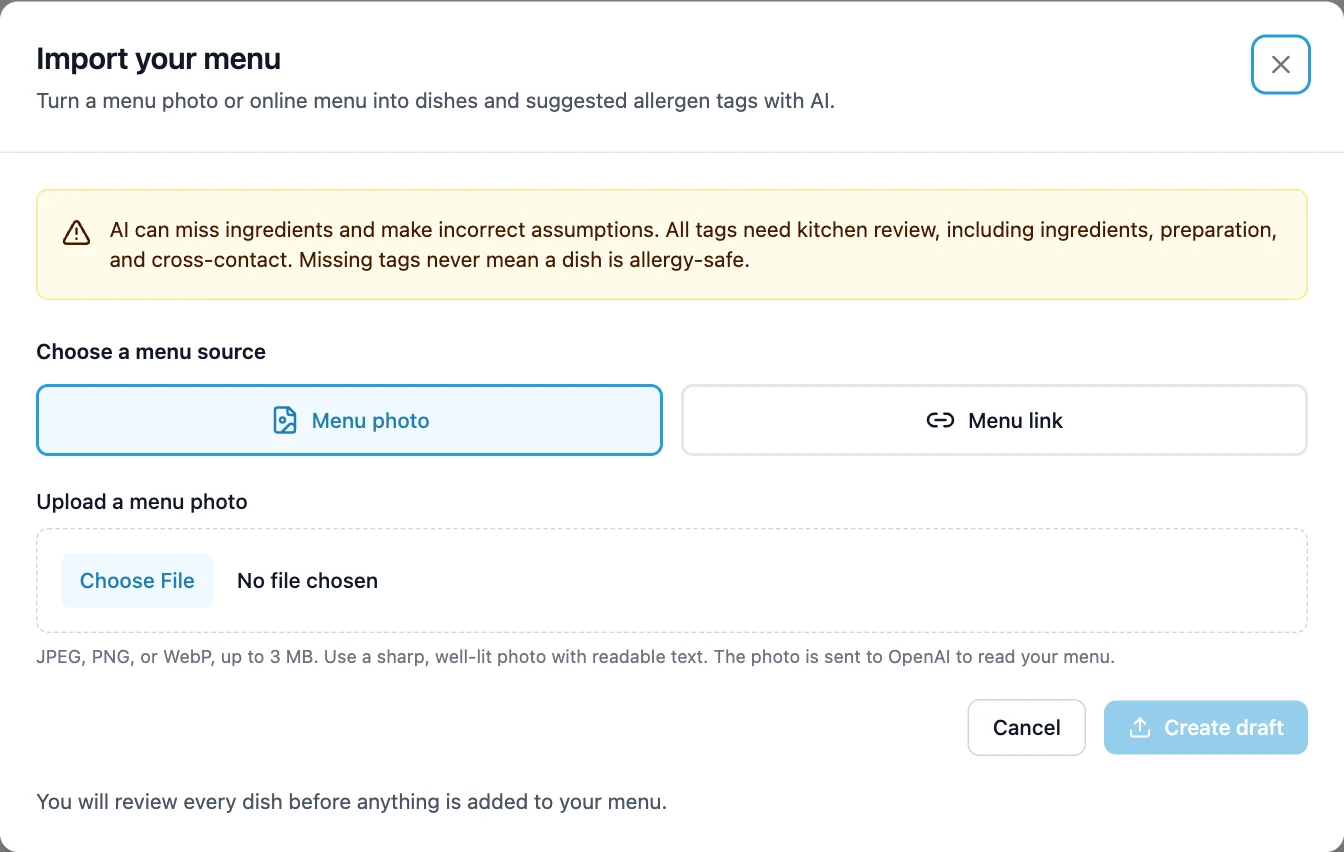
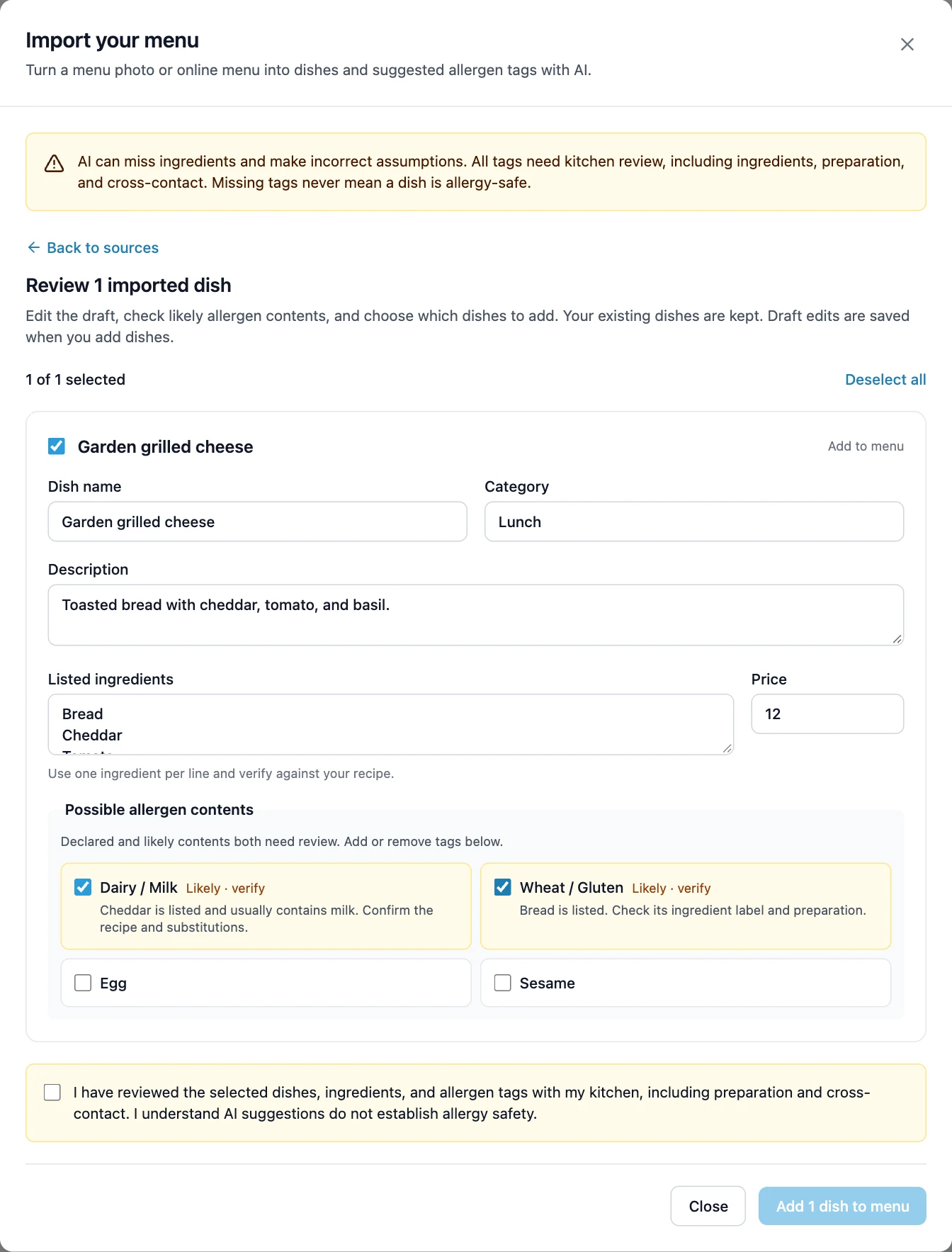
The AI import preview suggests dishes and likely allergens from a photo or menu link in an editable draft. Suggestions include the evidence behind them and identify whether the source declared an allergen or the tool inferred likely contents. This helps your reviewer identify questions to check against the kitchen’s actual information. It does not replace ingredient labels, recipes, supplier information, or a conversation with the person responsible for preparation.
Review ingredients and cross-contact as separate questions.
An ingredient change and a preparation change can affect a guest’s options in different ways. A kitchen may confirm that an ingredient is absent while still identifying a shared fryer, utensil, or preparation surface. The dish editor includes cross-contact fields and notes so those details can be recorded alongside allergen status. Your kitchen decides what can be accommodated and what the notes should say. Software cannot observe the conditions at a station during service.
Describe a modification the kitchen can actually make.
A modification needs enough detail for a member of staff to understand it. In an illustrative burger example, removing a cheese garnish would not answer questions about the bun, sauce, griddle, or preparation utensils. Review the complete dish before recording a possible modification. Write the instruction your team has checked, then review its public presentation. Revisit that instruction when an ingredient or preparation method changes.
Make menu updates part of the operating routine.
Choose a person responsible for checking menu information and a backup who can handle changes during an absence. Review relevant dishes when a recipe, ingredient brand, supplier, garnish, or preparation process changes. Confirm the supporting information with the kitchen, edit the dish, and open the public menu to check the result. MyMeal provides the editor and public menu; assigning an owner and keeping a review schedule are responsibilities for your restaurant’s team.
- Check substitutions before they become the next service’s default.
- Review every affected dish when a component is used in several recipes.
- Check modification and cross-contact notes as well as ingredient contents.
- Tell service staff what changed and where to find the current information.
Keep multiple menus clear without assuming they match.
Use restaurant, location, and menu organization to separate the information your business needs to maintain. A catering menu may use different components from the dining menu. Two kitchens may use different suppliers or equipment. Confirm those differences when relevant rather than assuming one review applies everywhere. The public menu can still represent several restaurants when your business has verified that its information applies across them.
Give guests a clearer starting point for a conversation.
Guests can choose allergies and explore the restaurant-provided menu information in their browser. A dish detail can communicate a modification or cross-contact note before the guest orders. Keep staff available to clarify uncertainty, check the day’s substitutions, and confirm preparation requirements. The menu communicates your team’s information; it cannot guarantee an allergen-free meal or replace your restaurant’s food safety procedures.
Frequently asked questions
What does restaurant allergy information software manage?
MyMeal organizes dishes, ingredients, allergen-specific information, possible modifications, and cross-contact notes. Your team maintains that information in the menu editor and shares it through a public digital menu. It also includes restaurant, location, and menu organization.
Does the software verify recipes or supplier labels?
Your restaurant verifies those sources. The AI-assisted import preview suggests likely allergens from available menu information, but it cannot establish a complete recipe, validate a supplier’s current label, or assess a kitchen’s preparation conditions.
Is the AI importer a food safety certification tool?
No. The product preview creates reviewable dish drafts and suggested allergen tags. A reviewer must check the selection with the kitchen before adding it. The importer does not certify compliance, establish allergy safety, or create safe or modifiable statuses.
When should we update the digital menu?
Review affected dishes when recipes, ingredient brands, suppliers, substitutions, or preparation methods change. After saving a change, check the public menu and communicate the update to service staff. Your team should set its own review responsibility and routine.
Explore the guest experience with our interactive sample menu. It uses illustrative content. You can also browse the restaurant allergy menu showcase.